


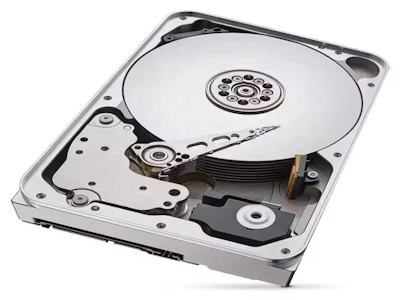
В современном цифровом мире данные стали неотъемлемой частью нашей жизни. От личных фотографий и видео до критически важных бизнес-документов, надежное хранение информации является ключевым аспектом. С ростом объема данных традиционные методы, такие как внешние жесткие диски или облачные сервисы, часто оказываются недостаточными из-за проблем с безопасностью, доступностью и масштабируемостью. Именно здесь на сцену выходят NAS (Network Attached Storage) накопители – специализированные устройства, предназначенные для эффективного и безопасного хранения данных в сетевой среде. В этой статье мы подробно рассмотрим, почему NAS накопители являются надежным решением для хранения данных, охватывая их преимущества, внутренние технологии, сравнение с альтернативами и практические аспекты использования.
NAS, или сетевое хранилище, представляет собой устройство, которое подключается к локальной сети (LAN) и предоставляет централизованное хранилище данных для множества пользователей и устройств. В отличие от традиционных внешних жестких дисков, которые требуют прямого подключения к компьютеру, NAS функционирует как независимый сервер, доступный через сеть. Это позволяет нескольким пользователям одновременно получать доступ к файлам, делать резервные копии и даже запускать приложения, такие как медиа-серверы или системы видеонаблюдения.
История NAS началась в 1980-х годах с развитием сетевых технологий, но массовую популярность они приобрели в последние два десятилетия благодаря росту спроса на данные. Современные NAS накопители предлагают широкий спектр функций: от базового хранения для домашних пользователей до высокопроизводительных решений для предприятий. Их надежность обусловлена комбинацией аппаратных и программных технологий, включая RAID-массивы, резервное копирование и продвинутую безопасность.
Основная цель NAS – обеспечить надежное, масштабируемое и удобное хранение данных. В условиях, когда кибератаки и аппаратные сбои становятся все более распространенными, NAS предлагает уровень защиты, который трудно достичь с другими методами. Далее мы углубимся в детали, объясняя, почему именно NAS заслуживает доверия.
NAS накопители обладают множеством преимуществ, которые делают их надежным выбором для хранения данных. Во-первых, они обеспечивают высокую доступность данных. Поскольку NAS подключен к сети, пользователи могут получать доступ к файлам с любого устройства в пределах сети или даже удаленно через интернет. Это особенно полезно для командной работы или для домашних пользователей, которые хотят иметь централизованное хранилище для всей семьи.
Во-вторых, NAS предлагает отличную масштабируемость. Большинство моделей позволяют добавлять дополнительные жесткие диски или расширять storage pool без прерывания работы. Например, модель с 4 дисковыми отсеками может быть начата с одним диском и постепенно расширена до полной конфигурации. Это делает NAS идеальным для растущих потребностей в данных.
Третье ключевое преимущество – надежность через избыточность. Технологии RAID (Redundant Array of Independent Disks) интегрированы в большинство NAS устройств. RAID позволяет mirroring или striping данных across multiple disks, ensuring that if one disk fails, data can be recovered from others. For instance, RAID 1 provides mirroring, while RAID 5 or 6 offer parity-based protection with better storage efficiency.
Кроме того, NAS часто включает функции автоматического резервного копирования. Пользователи могут настроить регулярные backups на локальное устройство или в облако, reducing the risk of data loss due to accidents or malware. Many NAS systems also support versioning, allowing recovery of previous file versions.
Безопасность – еще один strong point. NAS устройства come with built-in security features such as encryption, firewalls, and user access controls. Data can be encrypted at rest and in transit, protecting it from unauthorized access. Compared to public cloud services, where data is stored on third-party servers, NAS gives users full control over their data, enhancing privacy.
Наконец, NAS экономически эффективен в долгосрочной перспективе. Хотя initial investment might be higher than buying a simple external HDD, the cost per gigabyte decreases with scale, and the avoidance of subscription fees for cloud services can lead to savings over time. For businesses, the ability to host own data reduces dependency on external providers and mitigates risks associated with service outages.
В целом, эти преимущества делают NAS надежным решением, combining convenience, security, and scalability in one package.
Надежность NAS накопителей основана на передовых технологиях, которые работают вместе для защиты данных. Одна из ключевых технологий – RAID. RAID массивы распределяют данные across multiple disks, providing redundancy and improving performance. Common RAID levels used in NAS include:
Modern NAS systems often use more advanced technologies like SHR (Synology Hybrid RAID) or similar, which automatically optimize RAID configuration based on disk sizes, making it easier for non-experts to set up reliable storage.
Another critical technology is the file system. NAS devices typically use robust file systems such as Btrfs or ZFS, which support features like snapshots, checksums, and self-healing. Snapshots allow users to take point-in-time copies of data, enabling quick recovery from accidental deletions or ransomware attacks. Checksums verify data integrity, and self-healing can automatically repair corrupted files.
Hardware components also contribute to reliability. Enterprise-grade NAS often includes features like hot-swappable disks, redundant power supplies, and ECC (Error-Correcting Code) memory to prevent data corruption. For home users, consumer NAS models are designed with durability in mind, using quality components that ensure long-term operation.
Software plays a vital role too. NAS operating systems, such as Synology DSM or QNAP QTS, provide intuitive interfaces for management, including tools for monitoring disk health, scheduling backups, and applying security updates. Regular firmware updates from manufacturers address vulnerabilities and improve stability.
Additionally, NAS supports various backup protocols like rsync, cloud sync, and USB copy, allowing users to create multiple copies of data in different locations. This multi-layered approach to data protection – combining RAID, snapshots, and backups – makes NAS exceptionally reliable.
In summary, the integration of these technologies ensures that NAS devices can withstand hardware failures, human errors, and cyber threats, providing peace of mind for data storage.
Чтобы fully appreciate the reliability of NAS, it's helpful to compare it with other common storage methods. Let's examine alternatives such as external hard drives, cloud storage, and direct-attached storage (DAS).
External Hard Drives: These are simple and inexpensive but lack redundancy and network accessibility. If the drive fails, data can be lost permanently unless backups are made separately. They are suitable for temporary storage or backups but not for primary data storage due to their fragility and limited features.
Cloud Storage: Services like Google Drive, Dropbox, or iCloud offer convenience and accessibility from anywhere. However, they rely on internet connectivity, and data is stored on third-party servers, raising concerns about privacy, security, and compliance. Recurring subscription costs can add up over time, and outages or data breaches at the provider's end can disrupt access. NAS, on the other hand, gives users full control and can be configured for hybrid cloud solutions, combining local speed with cloud backup.
Direct-Attached Storage (DAS): DAS devices connect directly to a single computer via USB or Thunderbolt. They offer high speed but are not shareable over a network without additional setup. Like external drives, they lack built-in redundancy and are prone to single points of failure.
Server-Based Storage
The table below summarizes the comparison:
| Метод хранения | Надежность | Доступность | Стоимость | Безопасность |
|---|---|---|---|---|
| NAS | Высокая (благодаря RAID и резервному копированию) | Высокая (сетевой доступ) | Средняя (начальные инвестиции, но экономия в long-term) | Высокая (полный контроль, шифрование) |
| Внешние HDD | Низкая (нет избыточности) | Низкая (только локальный доступ) | Низкая (дешево) | Средняя (зависит от пользователя) |
| Облачное хранилище | Средняя (зависит от провайдера) | Высокая (интернет-доступ) | Переменная (subscription fees) | Средняя (риски third-party) |
| DAS | Низкая | Низкая | Низкая | Средняя |
From this comparison, it's clear that NAS strikes a balance between reliability, accessibility, and cost, making it a superior choice for many scenarios.
Безопасность является cornerstone of data reliability, and NAS systems excel in this area. They incorporate multiple layers of security to protect against threats such as unauthorized access, data breaches, and malware.
First, physical security: NAS devices can be placed in secure locations, such as locked server rooms or homes, reducing the risk of theft or tampering. Many models include Kensington locks or similar mechanisms for added physical protection.
Network security is crucial. NAS supports advanced firewall configurations, VPN (Virtual Private Network) access, and intrusion detection systems. Users can restrict access based on IP addresses, set up VLANs (Virtual LANs), and enable HTTPS for encrypted web administration. For remote access, services like QuickConnect (from Synology) provide secure tunneling without exposing the NAS directly to the internet.
Data encryption is a key feature. NAS allows encryption of shared folders or entire volumes using algorithms like AES-256. This means that even if the disks are stolen, the data remains unreadable without the encryption key. Some NAS systems support hardware encryption for better performance.
User authentication and access control are robust. Administrators can create multiple user accounts with specific permissions, such as read-only or read-write access to certain folders. Group policies and two-factor authentication (2FA) add an extra layer of security, preventing unauthorized logins.
To combat malware, NAS often includes antivirus software that can scan files in real-time or on a schedule. Additionally, snapshot technology allows quick recovery from ransomware attacks by restoring data to a pre-infection state.
Regular updates from manufacturers patch vulnerabilities and enhance security. For example, Synology and QNAP frequently release security advisories and updates to address newly discovered threats.
Compliance with regulations such as GDPR or HIPAA is easier with NAS, as users have full control over data governance and can implement audit logs to track access and changes.
In essence, the comprehensive security measures in NAS systems ensure that data is protected from both internal and external threats, contributing significantly to their reliability.
Choosing the right NAS and using it effectively is essential for maximizing reliability. Here are some practical tips for selection and usage.
Selection Tips:
Usage Tips:
By following these tips, users can enhance the reliability and longevity of their NAS systems, ensuring that data remains safe and accessible.
В заключение, NAS накопители представляют собой надежное решение для хранения данных благодаря их комбинации технологий избыточности, безопасности, масштабируемости и удобства. По сравнению с альтернативами, такими как внешние жесткие диски или облачные сервисы, NAS предлагает superior control and protection, making it ideal for both personal and business use. С постоянным развитием технологий, NAS continues to evolve, incorporating AI, better integration with cloud, and enhanced security features. Для anyone serious about data integrity, investing in a NAS is a wise decision that pays off in the long run through reduced risks and increased peace of mind. Embrace the power of NAS and ensure your data is stored reliably for years to come.
Thank you for reading this comprehensive article. If you have any questions or need further assistance, feel free to explore resources from manufacturers like Synology, QNAP, or Western Digital.
Предыдущая статья: Как выбрать сетевое хранилище для дома и офиса
Следующий пост: Самый надежный в мире 1 ТБ портативный жесткий диск