


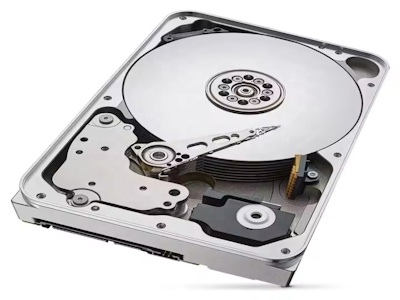
В современном цифровом мире информация стала одним из самых ценных активов. От корпоративных баз данных до личных фотографий — все требует надежного хранения и защиты. С развитием технологий растут и угрозы: кибератаки, аппаратные сбои, человеческие ошибки могут привести к катастрофическим последствиям. Именно здесь на помощь приходят решения NAS (Network-Attached Storage) — специализированные системы хранения, которые не только обеспечивают удобный доступ к данным, но и предлагают мощные инструменты для их защиты.
NAS представляет собой сетевое устройство, подключенное к локальной сети, которое позволяет нескольким пользователям сохранять и получать данные с централизованного хранилища. В отличие от традиционных методов хранения, таких как внешние жесткие диски или облачные сервисы, NAS предлагает уникальное сочетание контроля, безопасности и масштабируемости. Это делает его идеальным выбором для малого и среднего бизнеса, а также для tech-энтузиастов, которые ценят конфиденциальность и надежность.
Однако, просто установить NAS недостаточно. Ключевой аспект — это реализация эффективных решений для защиты информации. В этой статье мы глубоко погрузимся в мир NAS, рассмотрим основные угрозы, современные технологии защиты, практические рекомендации по выбору и настройке, а также поделимся реальными кейсами успешного внедрения. Мы обсудим все: от базовых принципов шифрования до продвинутых методов резервного копирования и мониторинга. Будьте готовы открыть для себя, как превратить ваш NAS в неприступную крепость для ваших данных.
NAS-системы появились в 1990-х годах как ответ на растущие потребности в сетевом хранении данных. Сегодня они эволюционировали в сложные устройства, поддерживающие множество протоколов, таких как SMB, NFS и FTP, что делает их совместимыми с различными операционными системами, включая Windows, macOS и Linux. Основное преимущество NAS — это централизация: вместо того чтобы хранить данные на разрозненных устройствах, вы можете собрать все в одном месте, что упрощает управление и снижает риски потери информации.
Защита информации в NAS начинается с понимания его архитектуры. Типичный NAS состоит из аппаратного компонента (корпус с дисками, процессор, память) и программного обеспечения, которое управляет доступом, шифрованием и резервным копированием. Популярные производители, такие как Synology, QNAP и Western Digital, предлагают готовые решения с интуитивными интерфейсами, но также позволяют кастомизировать настройки под конкретные нужды.
Почему NAS так важен для защиты? Во-первых, он предоставляет физический контроль над данными. В отличие от облачных сервисов, где вы зависите от провайдера, с NAS вы сами решаете, где и как хранить информацию. Это снижает риски утечек из-за сторонних уязвимостей. Во-вторых, NAS поддерживает RAID-массивы, которые защищают данные от сбоев дисков. Например, RAID 1 зеркалирует данные на два диска, обеспечивая отказоустойчивость. В-третьих, встроенные функции безопасности, такие как брандмауэры, антивирусные сканеры и системы обнаружения вторжений, делают NAS комплексным решением.
Но важно помнить: NAS не панацея. Без proper настройки он может стать уязвимым местом. Например, слабые пароли или открытые сетевые порты могут привлечь хакеров. Поэтому далее мы рассмотрим, как избежать этих pitfalls и максимизировать защиту.
Угрозы информации можно разделить на несколько категорий: кибератаки, аппаратные сбои, человеческие ошибки и природные катастрофы. Кибератаки включают ransomware, фишинг и DDoS-атаки, которые могут заблокировать или уничтожить данные. В 2023 году, по данным Verizon Data Breach Investigations Report, 85% нарушений involved человеческий фактор, such as weak passwords or social engineering.
NAS помогает mitigate these угрозы through multiple layers защиты. For кибератаки, modern NAS systems include intrusion prevention systems (IPS) that monitor network traffic and block suspicious activity. They also support automatic updates to patch vulnerabilities. For аппаратные сбои, RAID configurations ensure data redundancy. If one disk fails, data can be recovered from another. Additionally, NAS can integrate with cloud services for off-site backups, protecting against physical disasters like fires or floods.
Human errors are tricky, but NAS offers user management tools. You can set permissions so that only authorized users can access sensitive data. Audit logs track who did what, helping to identify mistakes early. For example, if an employee accidentally deletes a file, you can restore it from a snapshot—a feature supported by many NAS OS like Synology DSM.
Real-world example: A small company using QNAP NAS suffered a ransomware attack. Because they had enabled snapshot replication, they were able to roll back to a pre-attack state without paying the ransom. This saved them thousands of dollars and prevented data loss. Such stories highlight the importance of proactive measures.
In summary, NAS isn't just storage; it's a shield. By understanding threats and leveraging NAS features, you can build a resilient data protection strategy.
Шифрование — краеугольный камень защиты данных. It ensures that even if data is intercepted, it remains unreadable without the key. NAS systems support various encryption standards. The most common is AES (Advanced Encryption Standard), with key sizes of 128, 192, or 256 bits. AES-256 is considered military-grade and is virtually unbreakable with current technology.
Encryption in NAS can be applied at different levels: full-disk encryption (FDE) encrypts the entire storage volume, while file-level encryption protects individual files. FDE is recommended for maximum security, as it prevents unauthorized access even if the physical disks are stolen. However, it can impact performance, so choose a NAS with a dedicated encryption engine to minimize slowdown.
For data in transit, TLS (Transport Layer Security) is used to encrypt communication between devices and the NAS. This is crucial when accessing files remotely over the internet. Always enable TLS and use strong certificates to prevent man-in-the-middle attacks. Many NAS OS allow you to generate self-signed certificates or integrate with Let's Encrypt for free SSL certificates.
Key management is vital. Store encryption keys separately from the NAS, such as on a USB drive or in a secure cloud service. Some NAS systems offer key managers that automatically back up keys. Avoid storing keys on the same device to prevent total loss if compromised.
Practical tip: When setting up encryption, use a strong passphrase and enable two-factor authentication (2FA) for an added layer of security. Test the encryption setup by simulating a breach—try accessing data without the key to ensure it's properly protected.
Backup is the safety net of data protection. The 3-2-1 rule is a golden standard: have at least three copies of your data, on two different media, with one copy off-site. NAS excels here because it can serve as the primary backup target and facilitate off-site replication.
NAS backup strategies include local backups to external drives, network backups to another NAS, and cloud backups to services like Amazon S3 or Google Cloud. Schedule automated backups to run daily or weekly. Use incremental backups to save space and time by only copying changed data.
Snapshots are a powerful feature. They capture the state of the storage at a specific point in time, allowing quick recovery from errors or attacks. For instance, Synology's Snapshot Replication can take snapshots every hour and replicate them to a remote site. This minimizes data loss in case of a disaster.
Testing recovery is as important as backing up. Regularly restore files from backup to ensure the process works. Document the recovery steps to avoid panic during an emergency. Case study: A law firm used NAS with hybrid backup (local + cloud) and tested recovery quarterly. When a server failed, they restored data within hours, maintaining business continuity.
Remember, backup isn't set-and-forget. Monitor backup jobs for failures and update strategies as data grows. NAS tools like QNAP's Hybrid Backup Sync provide detailed reports to keep you informed.
Effective protection requires continuous monitoring. NAS systems come with built-in monitoring tools that track system health, network activity, and security events. Set up alerts for critical events, such as disk failures or unauthorized access attempts. Use SNMP (Simple Network Management Protocol) to integrate with larger network monitoring systems.
Access control is about who can do what. Implement role-based access control (RBAC) to assign permissions based on user roles. For example, admins have full access, while regular users can only read certain folders. Regularly review and update access rights to reflect personnel changes.
Multi-factor authentication (MFA) adds an extra layer. Require users to provide a second form of verification, like a code from an authenticator app, before accessing the NAS. This prevents breaches even if passwords are compromised.
Logs are your best friend for forensic analysis. Enable detailed logging of all activities: file accesses, configuration changes, login attempts. Store logs on a separate system to prevent tampering. Tools like Splunk or ELK stack can help analyze logs for anomalies.
Proactive measure: Conduct regular security audits. Scan for vulnerabilities using tools like Nessus or OpenVAS. Penetration testing can uncover weaknesses before attackers do. Share findings with your team to improve awareness and response.
Selecting the right NAS is crucial for effective protection. Consider factors like performance, capacity, and security features. For small offices, a 2-bay NAS like Synology DS220+ might suffice, offering good performance and RAID support. For enterprises, look at 8-bay or larger models with redundant power supplies and 10GbE connectivity.
Security should be a top priority. Choose a NAS with a robust OS that receives regular updates. Synology DSM and QNAP QTS are known for their security features, including antivirus, firewall, and VPN support. Check for certifications like FIPS 140-2 for encryption compliance.
Scalability matters. Ensure the NAS can grow with your needs by supporting additional drives or expansion units. Also, consider the total cost of ownership, including electricity and maintenance.
Read reviews and benchmarks. Sites like SmallNetBuilder provide detailed tests. Don't forget support—good vendor support can be a lifesaver during crises.
Recommendation: Start with a mid-range model, invest in good disks (like WD Red or Seagate IronWolf), and prioritize security settings from day one. As you expand, you can add more units or upgrade to a higher model.
Case studies illustrate the practical benefits. A healthcare clinic used a Synology NAS to store patient records. By enabling encryption and regular backups, they complied with HIPAA regulations and prevented data breaches. The cost was lower than cloud alternatives, and they maintained full control.
Another example: A creative agency with large video files implemented a QNAP NAS with 10GbE networking. They used snapshots to recover from accidental deletions and replicated data to a off-site NAS for disaster recovery. This improved productivity and secured their intellectual property.
For home users, a simple NAS like Western Digital My Cloud can protect family photos with automated backups and remote access. One user reported saving years of memories after a laptop theft, thanks to NAS backups.
These stories show that NAS is versatile. Whether for business or personal use, it provides tangible security benefits when properly configured.
The future of NAS is bright, with advancements in AI and machine learning enhancing security. Predictive analytics can detect anomalies before they become threats. Integration with IoT devices will require even tighter security measures.
As data volumes explode, NAS will continue to evolve, offering faster speeds and better encryption. The key is to stay informed and adapt. Start with the basics: strong passwords, encryption, backups, and monitoring.
In conclusion, NAS is not just a storage solution; it's a cornerstone of modern data protection. By leveraging its features, you can safeguard your information against ever-evolving threats. Take action today—audit your current setup, invest in a good NAS, and implement the strategies discussed here. Your data deserves nothing less.
Thank you for reading. For more tips, subscribe to our newsletter or contact our experts. Protect your data, secure your future.
Предыдущая статья: 1TB SSD скорость и надежность для вашего ПК
Следующий пост: 500GB жесткий диск твоя личная вселенная данных